
Initial SOC Triage: Worked Example
This fictional worked example shows what a complete, defensible Initial SOC Triage workbook looks like after the first 15 minutes. Use it to understand the expected level of detail; do not copy its case facts into a real investigation.
Training scenario only. All people, organizations, assets, evidence identifiers, storage links, approvals, and team settings shown below are invented. The documentation address
203.0.113.77is a reserved fictional indicator.
Before You Begin
- Download the blank workbook and save a working copy with your case identifier in the filename.
- Confirm the assigned analyst, local time zone, and alert-received time before entering investigative data.
- Preserve the blank template. Record the investigation in the working copy rather than overwriting the original.
- Start with observable facts. Keep assumptions and preliminary assessments clearly labeled.
Completing the First 15 Minutes
Establish the case and clock
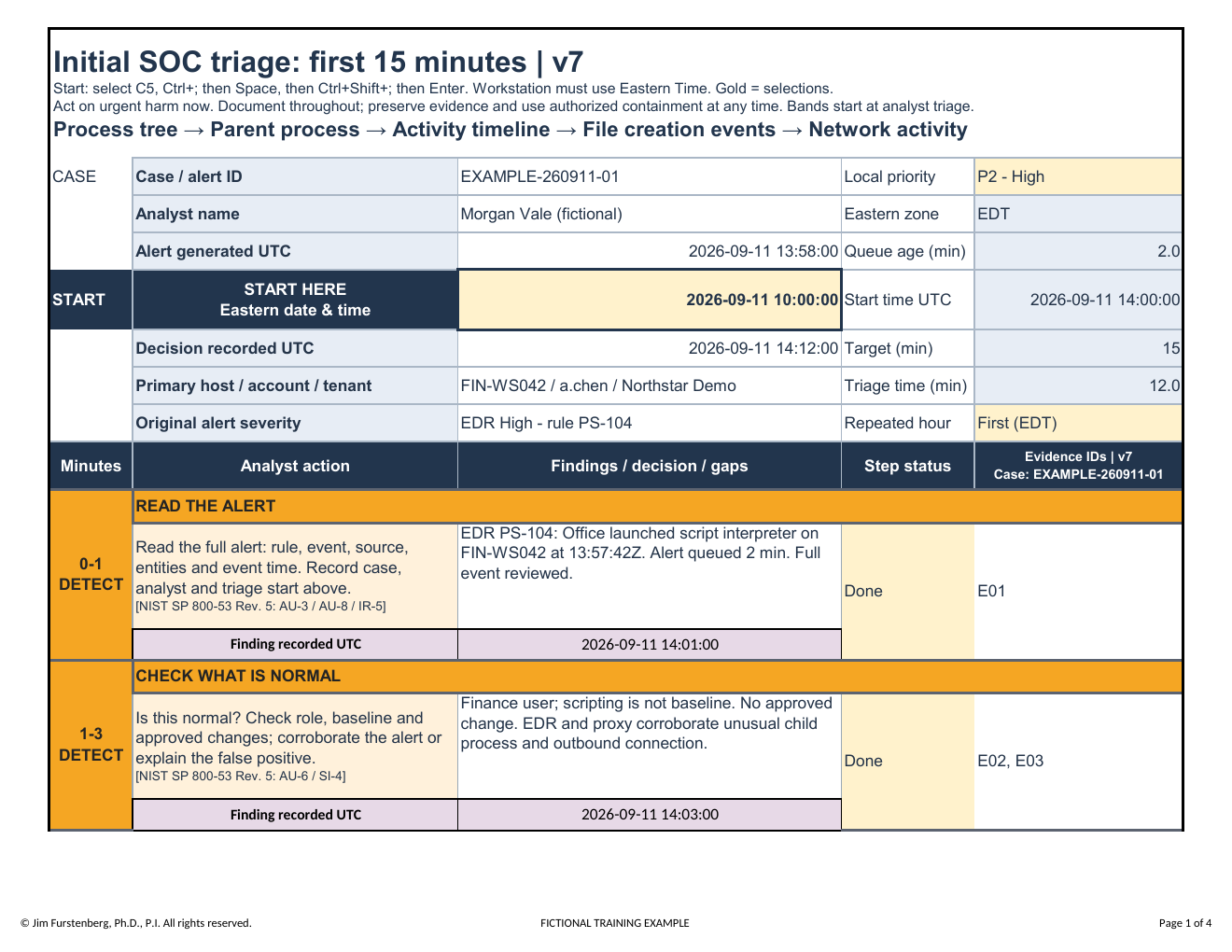
Enter the case identifier, analyst, alert source, severity, affected assets, and triage start time immediately. Use the workbook's UTC fields consistently so events from different systems can be correlated without ambiguity.
Record evidence, not conclusions
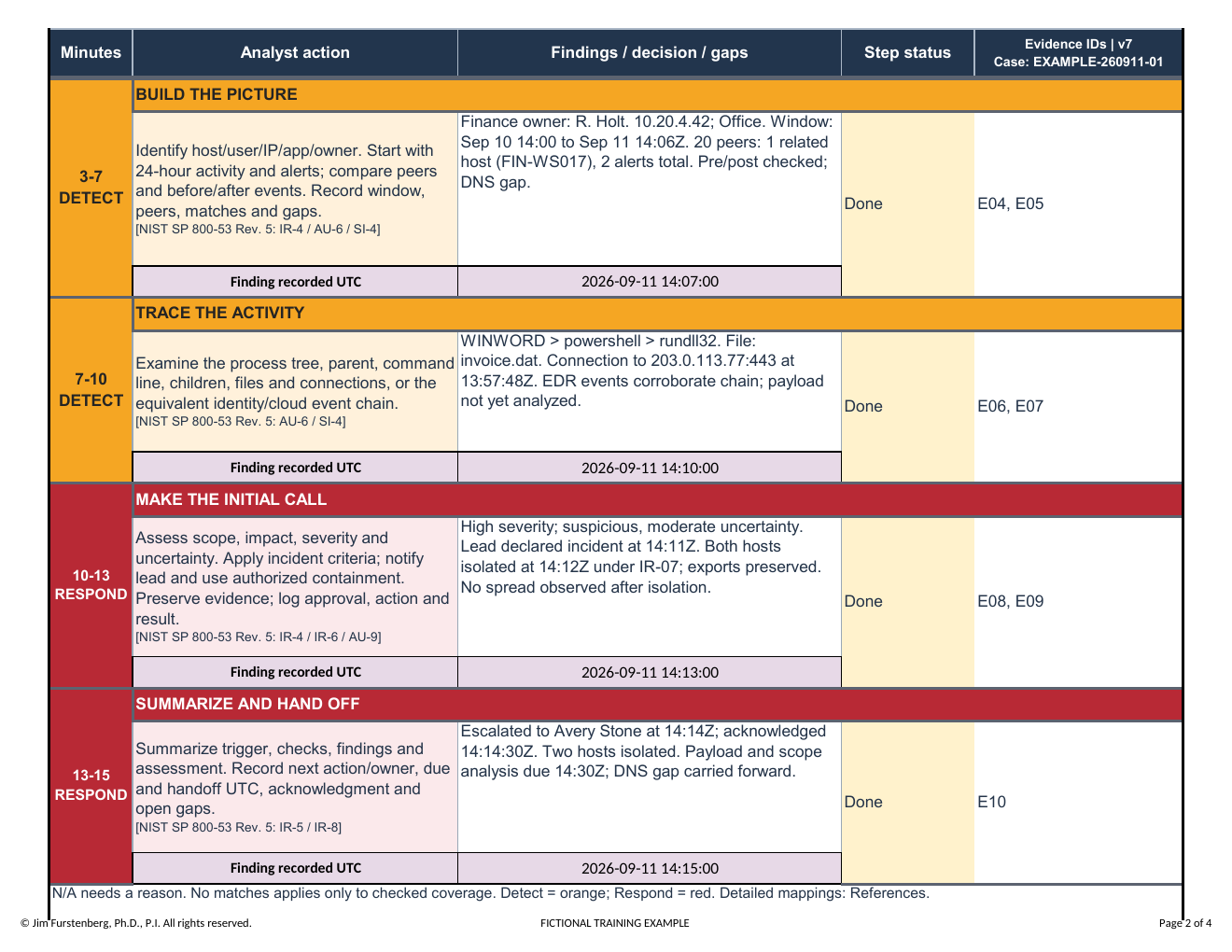
Capture the exact alert or event identifier, timestamp, host, user, process, network indicator, and evidence location. A strong entry lets another analyst retrieve the same artifact. If a telemetry source is unavailable, record the visibility gap rather than treating missing data as proof that activity did not occur.
Separate facts from assessment
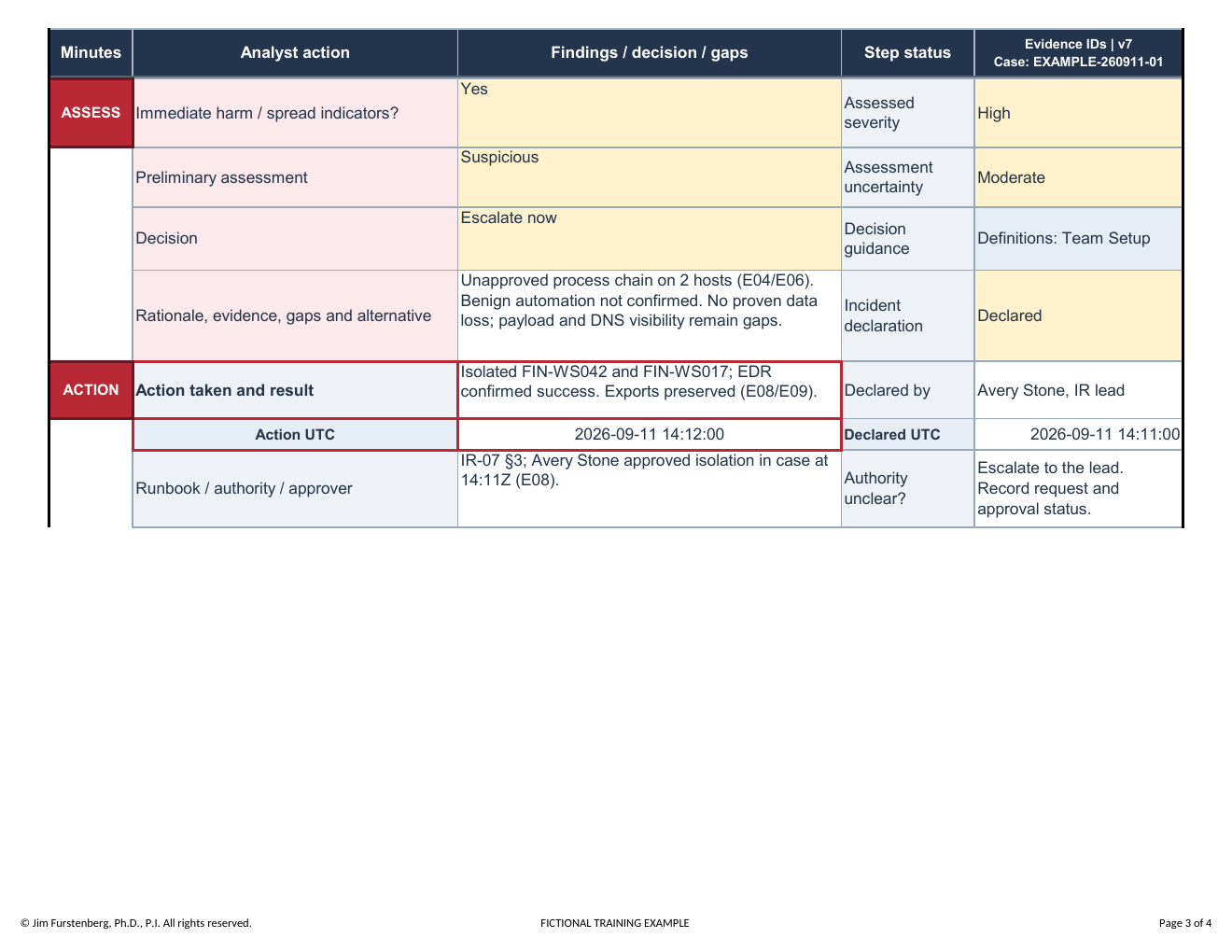
Facts describe what the evidence shows. The working assessment explains what those observations may mean and must remain appropriately qualified while evidence is incomplete. In this example, the activity remains suspicious because payload analysis is unfinished.
Prepare the handoff
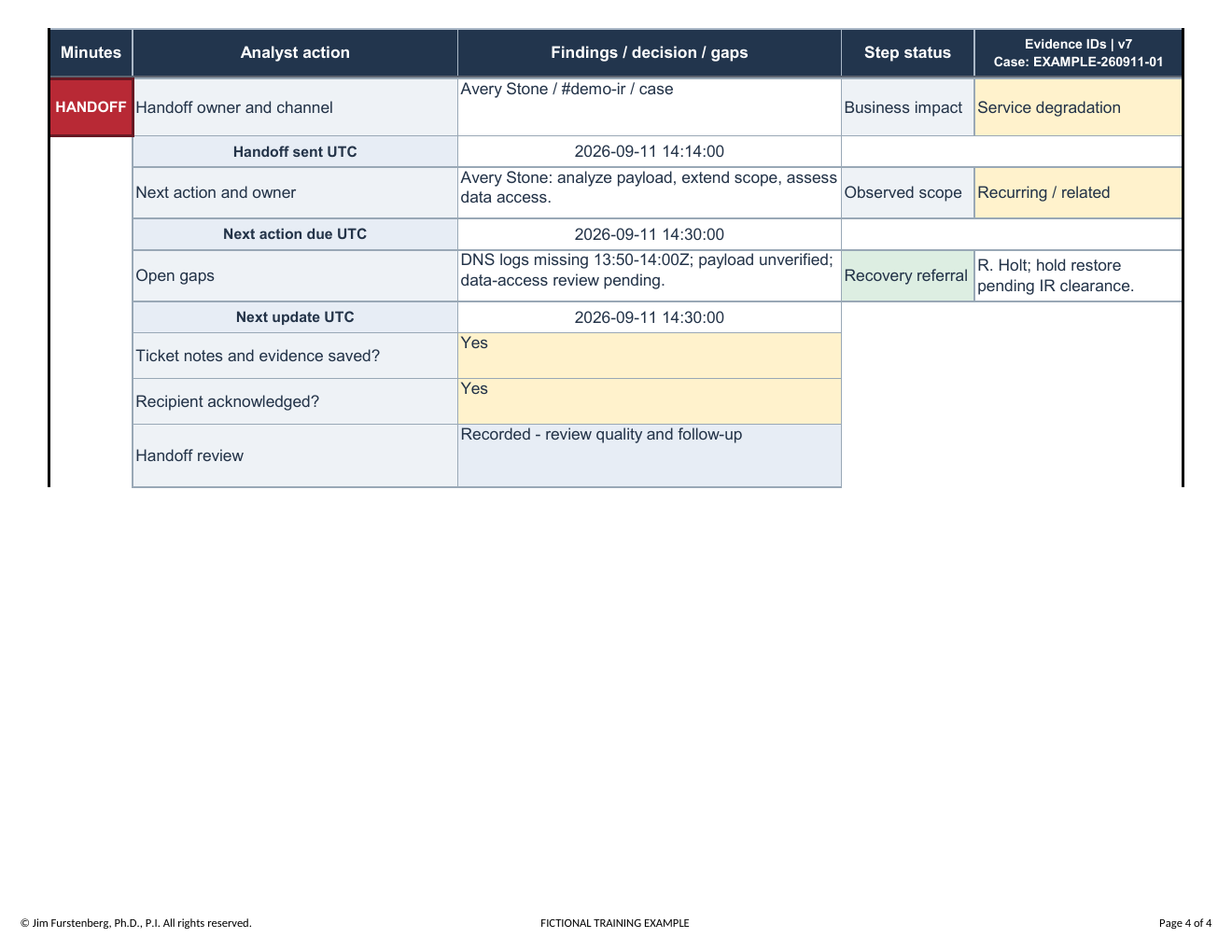
At minute 15, confirm that the next analyst can understand the current status, evidence locations, known gaps, completed actions, pending decisions, and immediate next steps without reconstructing the investigation from scratch.
What Good Completion Looks Like
| Area | Strong entry | Why it matters |
|---|---|---|
| Time | Local time, time zone, and normalized UTC time | Supports reliable cross-system sequencing |
| Evidence | Exact identifier and retrievable storage location | Makes the finding repeatable and reviewable |
| Assessment | Qualified conclusion tied to observations | Prevents suspicion from being presented as proof |
| Visibility gap | Missing source and investigative consequence | Defines what the evidence cannot establish |
| Action | Action, authorization, timestamp, and impact | Preserves accountability and operational context |
| Handoff | Owner, next step, priority, and unresolved question | Keeps the investigation moving without lost context |
Completed Example
The fictional case begins September 11, 2026, at 10:00 EDT / 14:00 UTC. It illustrates suspicious Office-to-script execution on two finance workstations, peer and time-window comparisons, a DNS visibility gap, evidence preservation, authorized isolation, and analyst handoff. The initial decision is recorded at minute 12 and final findings at minute 15.
Completion Check
Before handing off the workbook, confirm that:
- required case, analyst, asset, alert, and time fields are populated;
- timestamps use the stated time zone and UTC consistently;
- evidence entries identify artifacts another analyst can retrieve;
- factual observations and analytical judgments are distinguishable;
- known visibility gaps and limitations are explicit;
- containment or preservation actions include authorization and impact;
- unresolved questions, next actions, owners, and priorities are recorded; and
- the workbook contains no real credentials or unrelated sensitive data.
Downloads
- Download the blank Initial SOC Triage workbook
- Download the completed fictional workbook
- Download the completed example as a four-page PDF
- Download the complete Field Guide 07 package
The workbooks are macro-free .xlsx files. Open them in Microsoft Excel or another compatible spreadsheet application that preserves formulas, validation lists, print settings, and formatting.